
Built-in AI · RSI Agent
Configure person, object, PPE, flame and smoke analysis per channel. Supported cards offer field-learning RSI Agent correction.
The built-in NPU analyses camera video. Connect analysis cards per channel to configure detection and event responses, with device and web interfaces for viewing and configuration.
製品概要
英語の資料
Recording, search and AI analysis for IP cameras in one device.
The built-in NPU analyses camera video. Connect analysis cards per channel to configure detection and event responses, with device and web interfaces for viewing and configuration.
Configure person, object, PPE, flame and smoke analysis per channel. Supported cards offer field-learning RSI Agent correction.
Review continuous, scheduled and event recordings with timeline playback and person, event and AI search conditions.
Use the event map to connect events to speaker clips, alarm outputs and HTTP notifications.
Video recording and AI event operations for shops, facilities and industrial sites
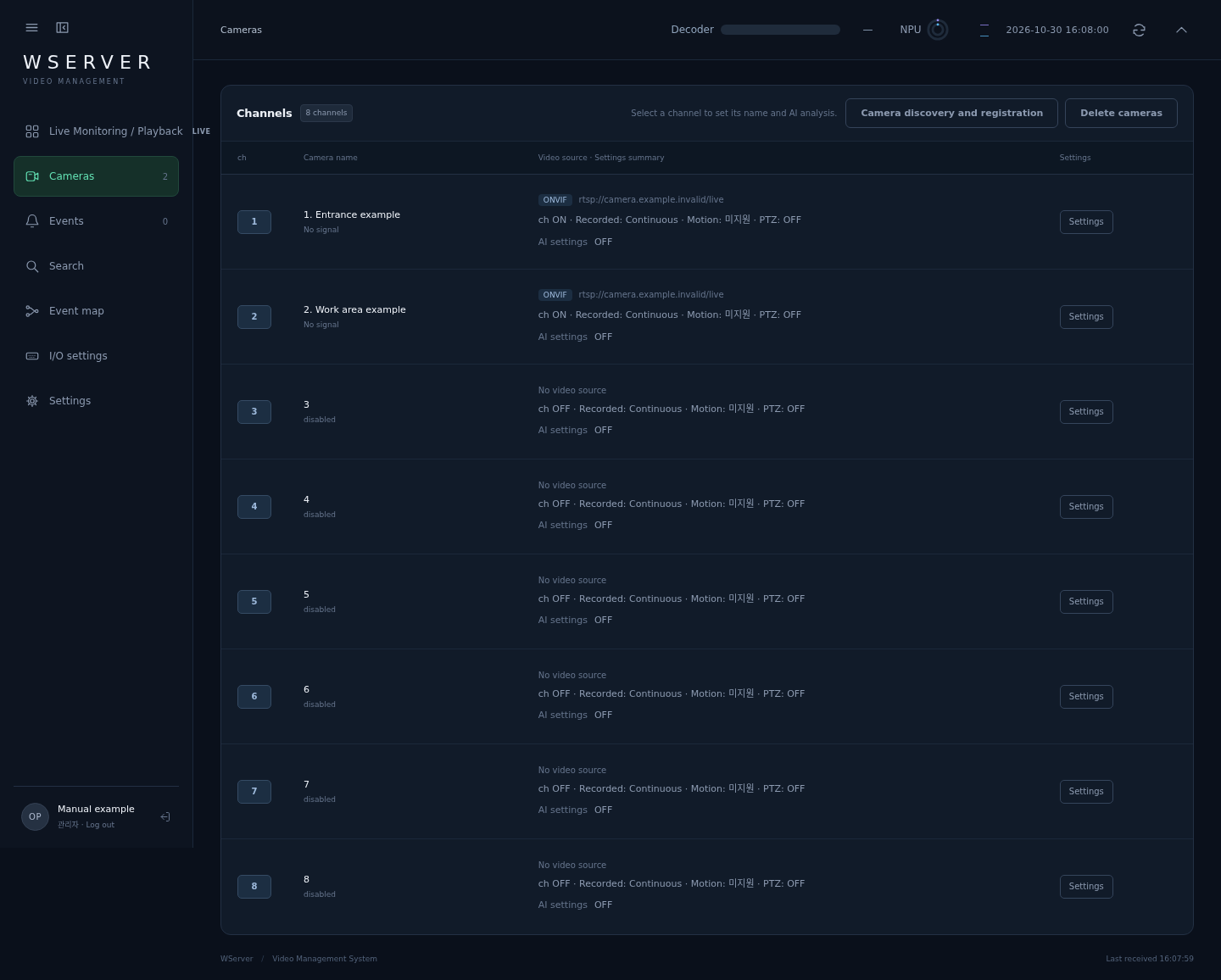
RSI Agent requires supported models and scene conditions. Validate performance on site; no guaranteed accuracy improvement is stated. Features and screens depend on product configuration, connected devices and installed software.
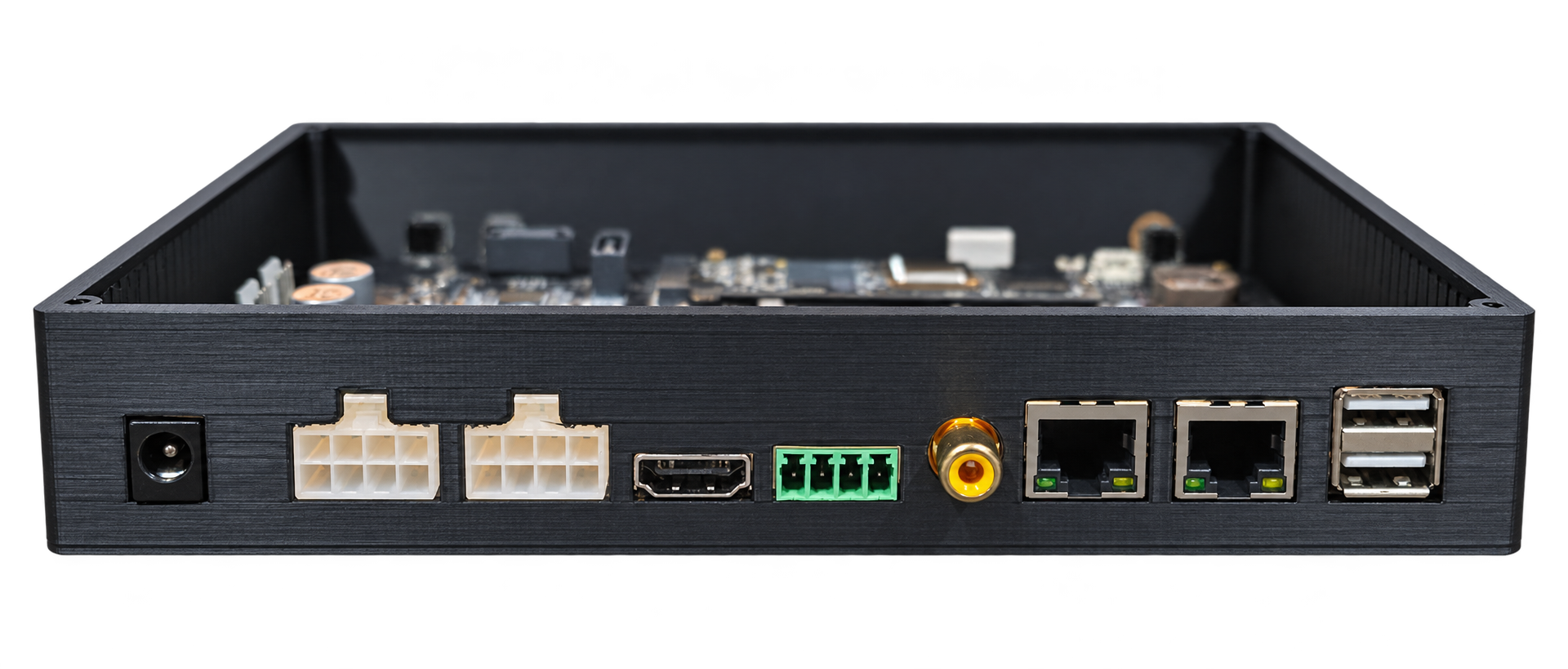
外部機器用コネクターの配置を示した、WServerの背面接続パネルです。
提供された製品写真を編集しています。
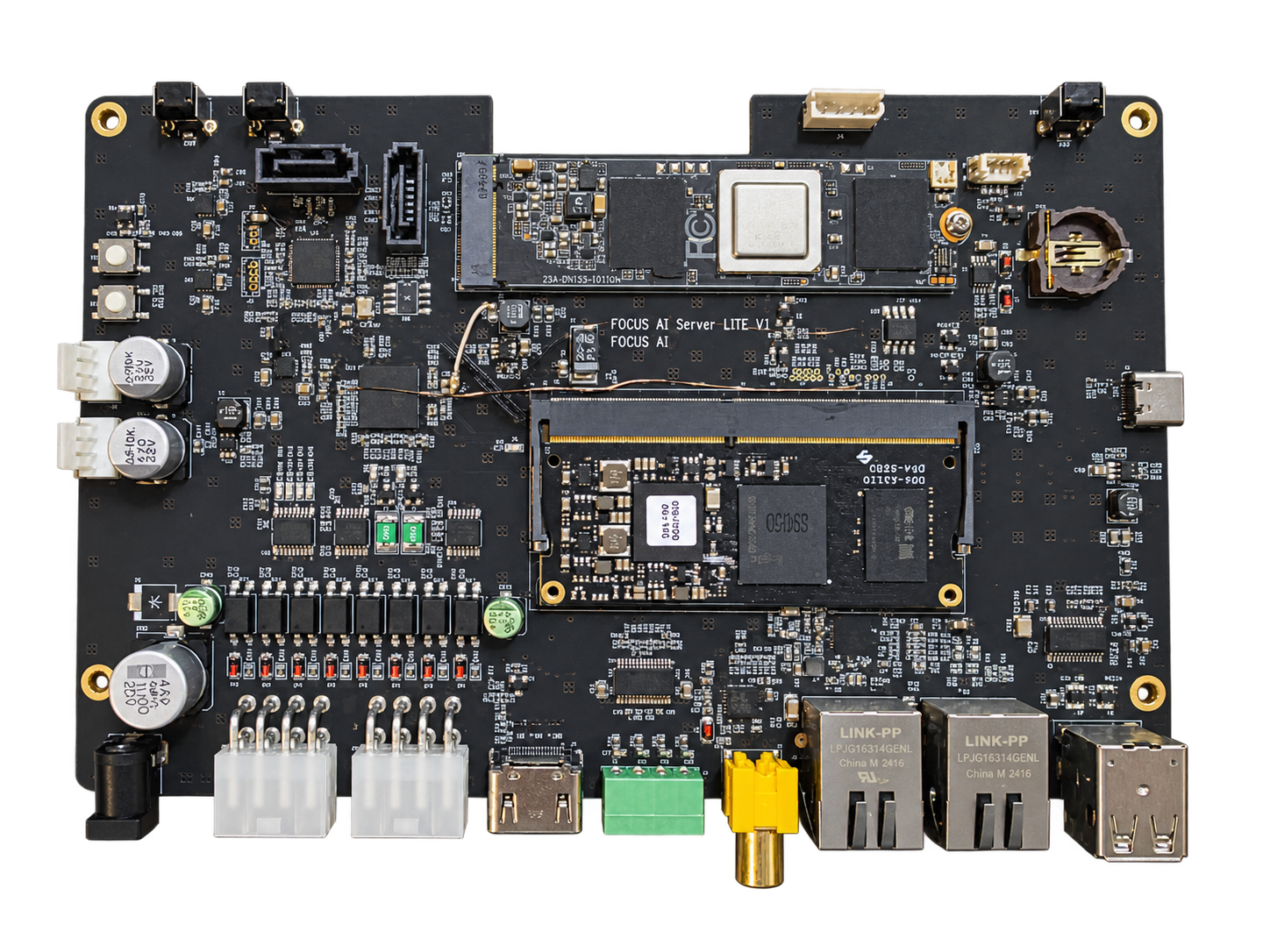
モジュール、部品、外部接続部の配置を示した、WServerの内部システムボードです。
提供されたボード写真を編集しています。
WSERVER NVR / AIサーバー
WServerは、カメラ映像の表示、必要な分析の接続、録画場面の検索を行う映像管理システムです。
現場に近い場所での分析と中央拠点での確認を組み合わせられます。以下は、利用環境に合わせて検討する導入例です。
分析と機器連携は、要件とハードウェア構成によって異なります。これらの導入例がすべて標準機能に含まれるわけではありません。
カードの接続、条件の設定、エリアの指定、映像オーバーレイの確認。設定の流れを簡単な図で説明します。
カメラごとに必要な分析を接続します。1つの追跡結果を複数の分析に分岐できます。
図は構成と動作の説明用であり、ライブ映像や実際の検出結果ではありません。
人物検出 → 外観 → 物体追跡から、侵入、滞留、人数カウント、PPEへ接続できます。
各カメラの目的に合わせて分析を接続・解除し、詳細条件を設定します。
カードに接続、実行、サブスクリプションの状態を表示します。接続の変更は自動保存されます。
利用できる分析機能は、機器、モデル、サブスクリプション構成によって異なります。
WServer NVRは、カメラのライブ映像、AI分析、録画、検索を統合した映像管理システムです。機器画面とWeb画面からカメラを管理し、カメラごとに分析と表示を選べます。
AI設定で分析カードを接続し、対象と条件を調整します。映像上に検出エリアを定義し、選択した機能に応じて物体表示、移動経路、エリア、IN/OUTカウントを利用します。人物検出・追跡は侵入、滞留、人数カウント、PPE分析に接続できます。物体検出は独立した標準機能としても提供されます。
連続録画、週間スケジュール録画、イベント録画を設定できます。録画はイベント、動き、AI物体で検索できます。管理者と一般ユーザーのアカウント分離、ディスク状態、システムイベントの確認が運用を支えます。
現場に近い場所での分析と、中央拠点での確認を分担できます。この構成例では、現場が映像分析と必要な通知・機器接続を担当し、センターが受信映像の確認、追加分析、中継、保存を担当します。
分析と機器連携は、要件、ハードウェア、モデル、契約中のサブスクリプションによって異なります。これらの例がすべて標準機能に含まれるわけではありません。導入前に必要な機能と仕様をご確認ください。このページの図は構成と動作を説明するもので、ライブ映像や実際の検出結果ではありません。