
Built-in AI · RSI Agent
Configure person, object, PPE, flame and smoke analysis per channel. Supported cards offer field-learning RSI Agent correction.
The built-in NPU analyses camera video. Connect analysis cards per channel to configure detection and event responses, with device and web interfaces for viewing and configuration.
產品概要
英文資料
Recording, search and AI analysis for IP cameras in one device.
The built-in NPU analyses camera video. Connect analysis cards per channel to configure detection and event responses, with device and web interfaces for viewing and configuration.
Configure person, object, PPE, flame and smoke analysis per channel. Supported cards offer field-learning RSI Agent correction.
Review continuous, scheduled and event recordings with timeline playback and person, event and AI search conditions.
Use the event map to connect events to speaker clips, alarm outputs and HTTP notifications.
Video recording and AI event operations for shops, facilities and industrial sites
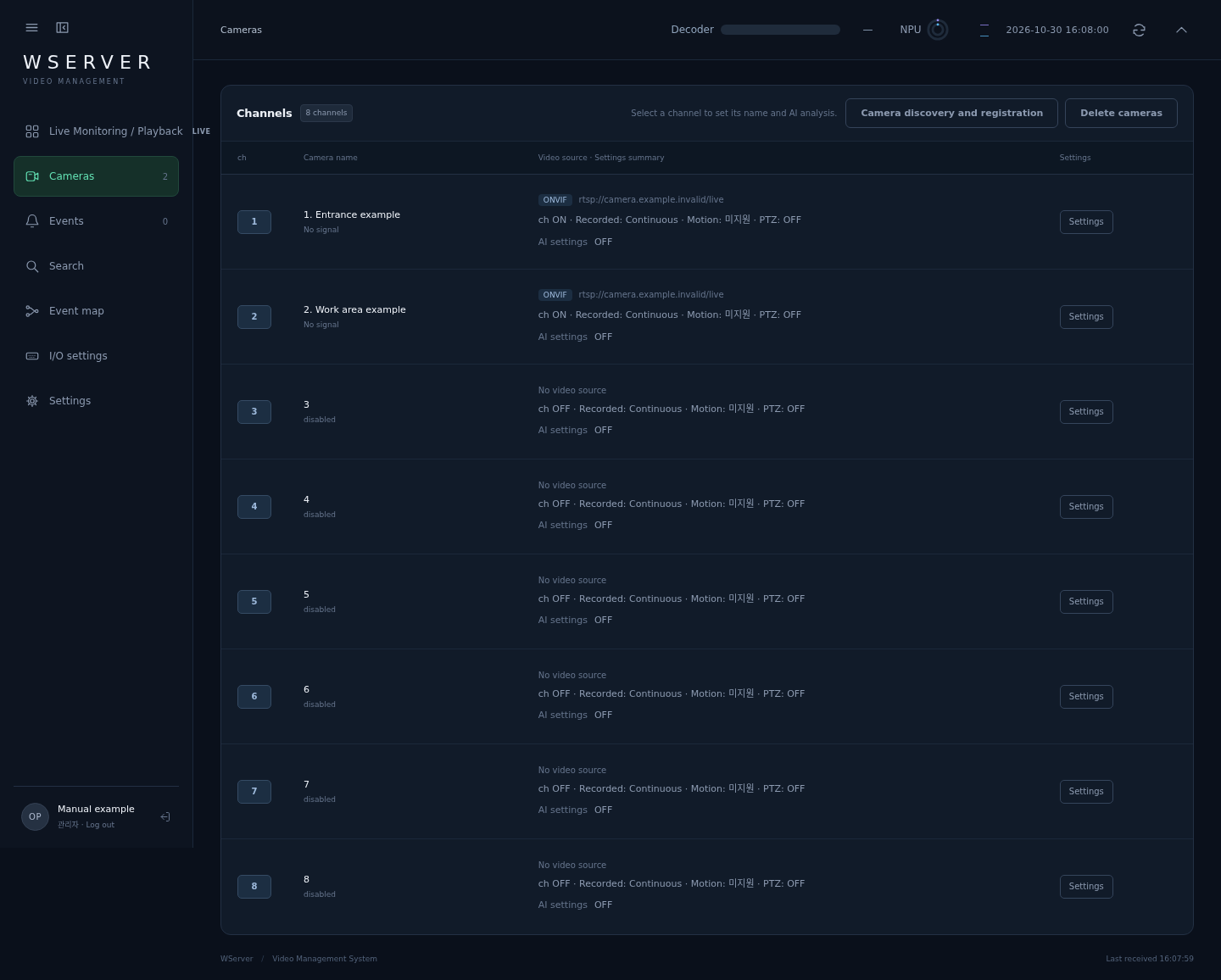
RSI Agent requires supported models and scene conditions. Validate performance on site; no guaranteed accuracy improvement is stated. Features and screens depend on product configuration, connected devices and installed software.
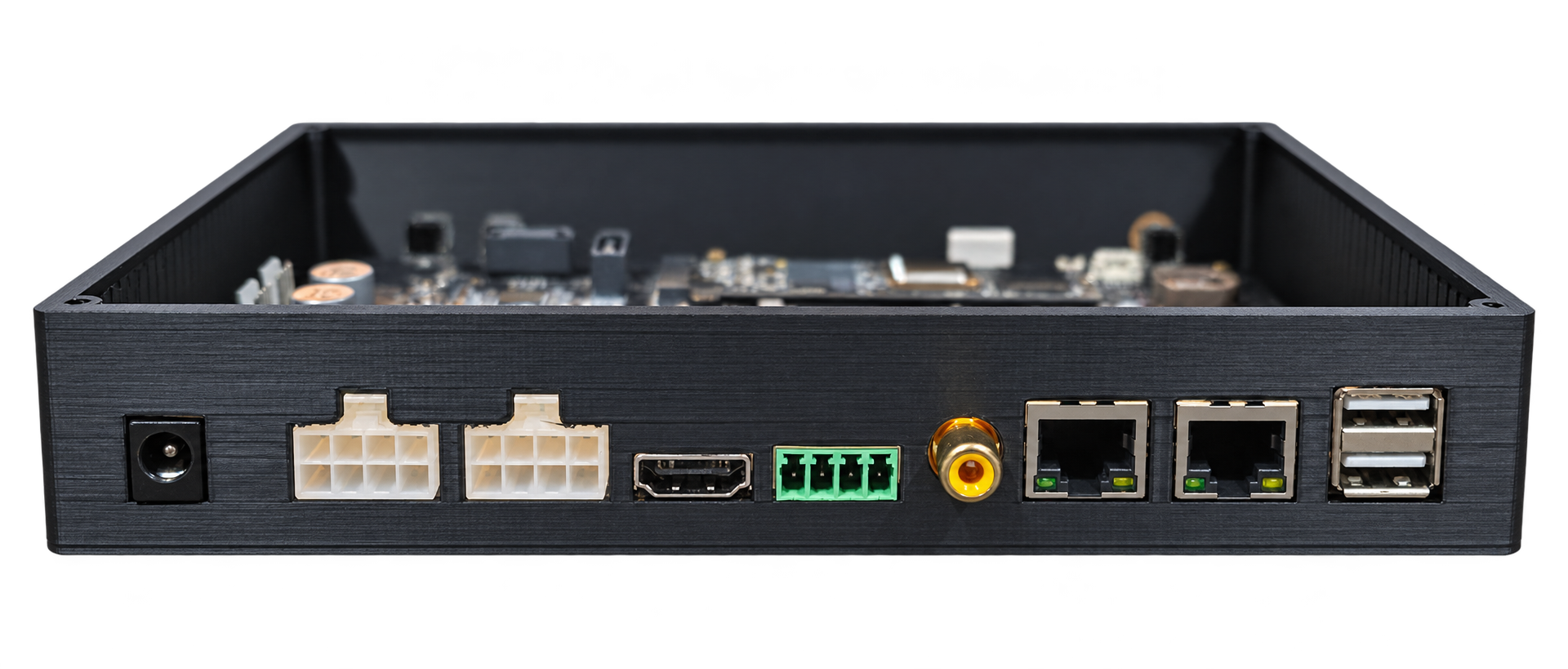
WServer 後方連接面板,顯示裝置上外部設備連接器的排列。
由提供的產品照片編輯而成。
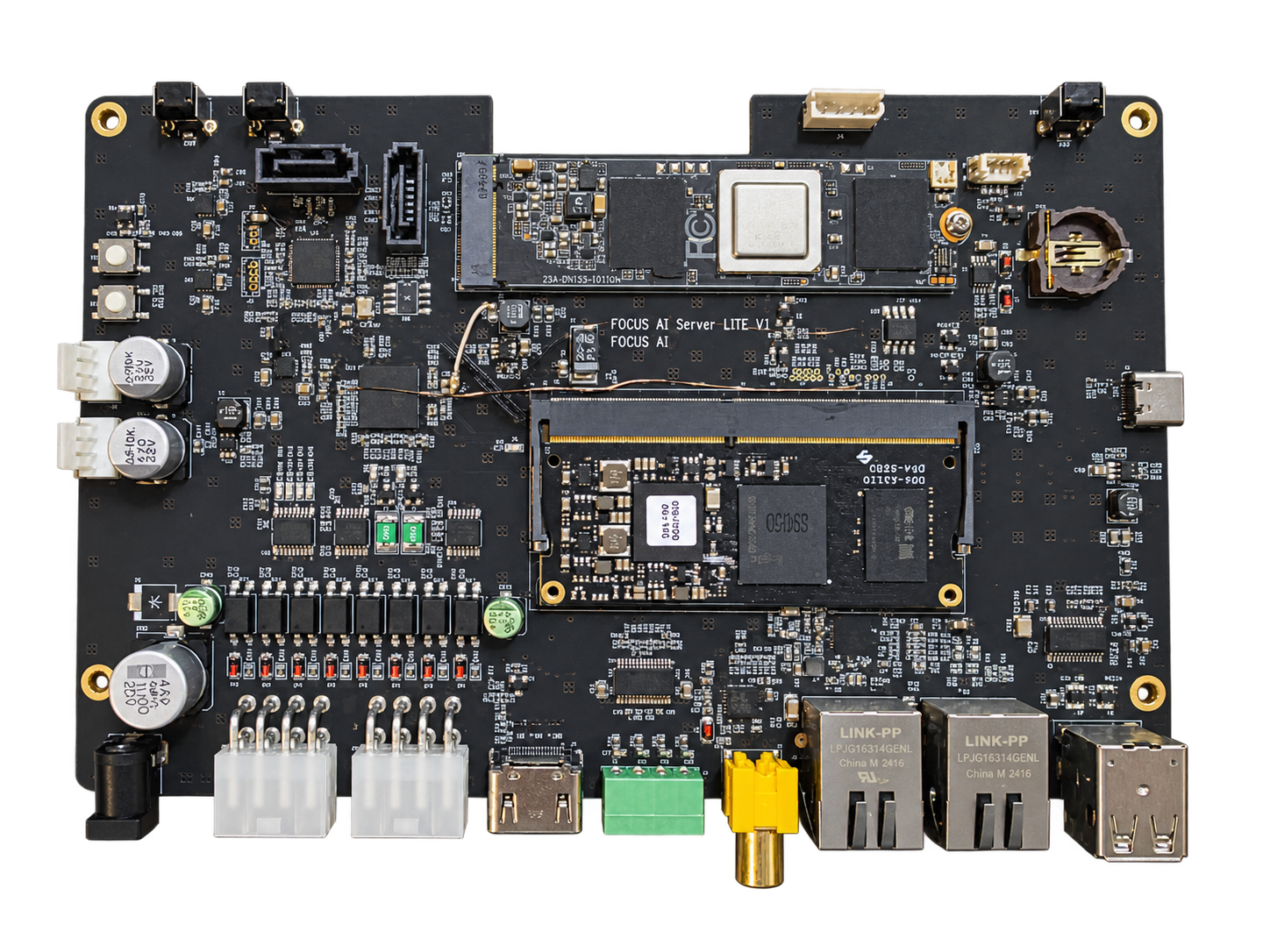
WServer 內部系統板,顯示模組、元件與外部連接的排列。
由提供的板卡照片編輯而成。
WSERVER NVR / AI 伺服器
WServer 是影像管理系統,可觀看攝影機畫面、連接所需分析功能及搜尋錄影場景。
可結合現場附近的分析與中央位置的檢視。以下為供使用環境評估的部署範例。
分析與設備整合取決於需求及硬體配置。這些部署範例並非全部屬於標準功能。
連接卡片、設定條件、定義區域並檢視影像疊加資訊。透過簡潔示意圖了解設定流程。
為各攝影機連接所需分析。追蹤結果可供多個分析分支使用。
示意圖用於說明配置與行為,並非即時影像或實際偵測結果。
人員偵測 → 外觀特徵 → 物件追蹤,可連接入侵、徘徊、人流計數與 PPE。
依各攝影機用途連接或解除分析,並設定詳細條件。
卡片顯示連接、執行與訂閱狀態。連接變更會自動儲存。
可用分析功能取決於裝置、模型及訂閱配置。
WServer NVR 將即時攝影機畫面、AI 分析、錄影與搜尋整合於影像管理系統。可透過裝置與網頁介面管理攝影機,並為各攝影機選擇分析功能與顯示方式。
在 AI 設定中連接分析卡片,再調整目標與條件。於影像上定義偵測區域,依選取功能使用物件標記、路徑、區域及 IN/OUT 計數。人員偵測與追蹤可連接入侵、徘徊、人流計數與 PPE 分析。物件偵測亦作為另一項內建功能提供。
可連續錄影、依每週排程錄影,或依事件觸發錄影。可按事件、移動或 AI 物件搜尋錄影。獨立的管理員與使用者帳號、磁碟狀態及系統事件可協助日常操作。
部署時可將現場附近的分析與中央位置的檢視分工。在此範例中,現場負責影像分析、必要警示或設備連接,中心則負責接收影像、進一步分析、轉送與儲存。
分析與設備整合取決於需求、硬體、模型及訂閱配置。這些範例並非全部屬於標準功能;部署前請確認所需功能與規格。本頁示意圖用於說明配置與行為,並非即時影像或實際偵測結果。