
Built-in AI · RSI Agent
Configure person, object, PPE, flame and smoke analysis per channel. Supported cards offer field-learning RSI Agent correction.
The built-in NPU analyses camera video. Connect analysis cards per channel to configure detection and event responses, with device and web interfaces for viewing and configuration.
Product overview
Recording, search and AI analysis for IP cameras in one device.
The built-in NPU analyses camera video. Connect analysis cards per channel to configure detection and event responses, with device and web interfaces for viewing and configuration.
Configure person, object, PPE, flame and smoke analysis per channel. Supported cards offer field-learning RSI Agent correction.
Review continuous, scheduled and event recordings with timeline playback and person, event and AI search conditions.
Use the event map to connect events to speaker clips, alarm outputs and HTTP notifications.
Video recording and AI event operations for shops, facilities and industrial sites
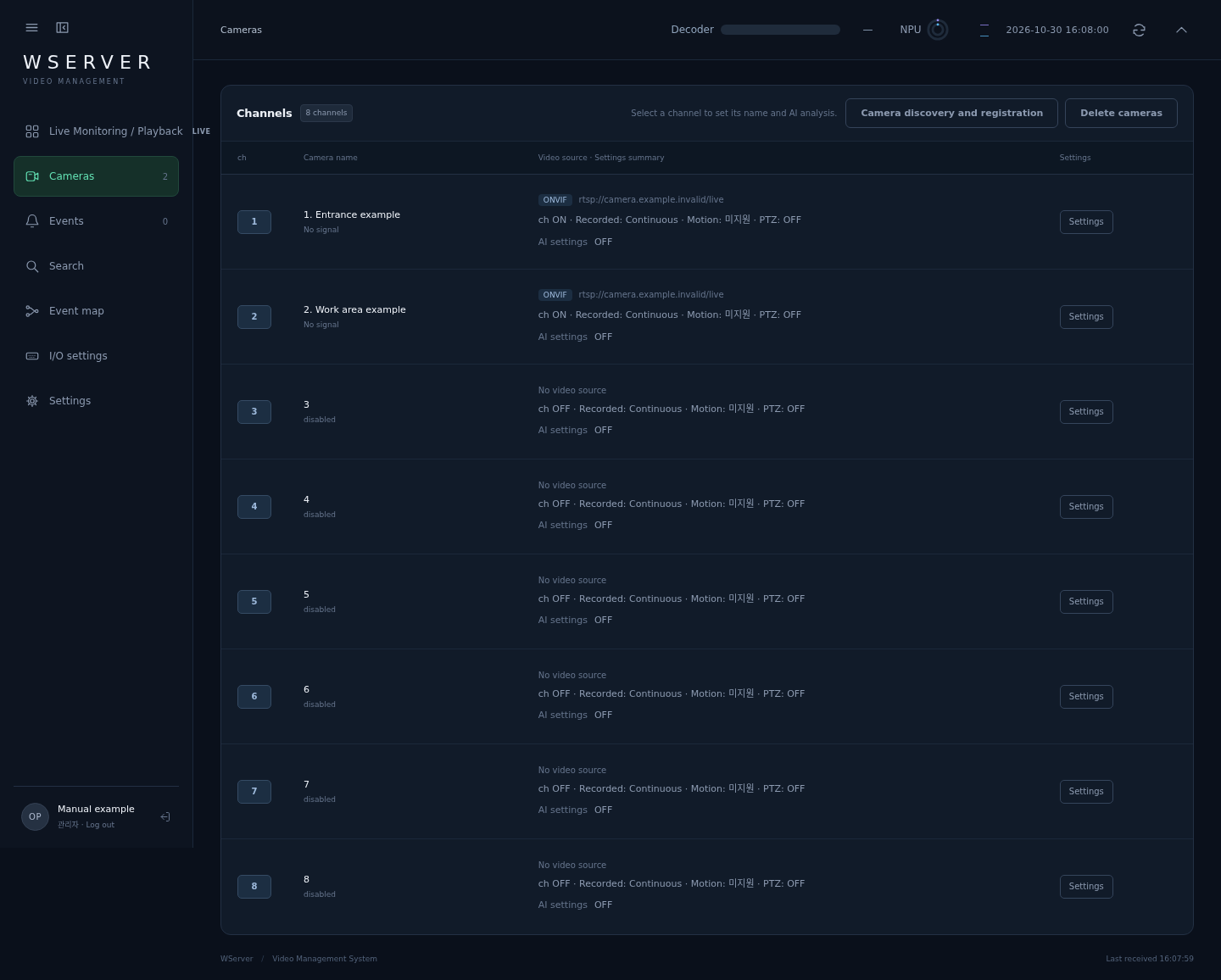
RSI Agent requires supported models and scene conditions. Validate performance on site; no guaranteed accuracy improvement is stated. Features and screens depend on product configuration, connected devices and installed software.
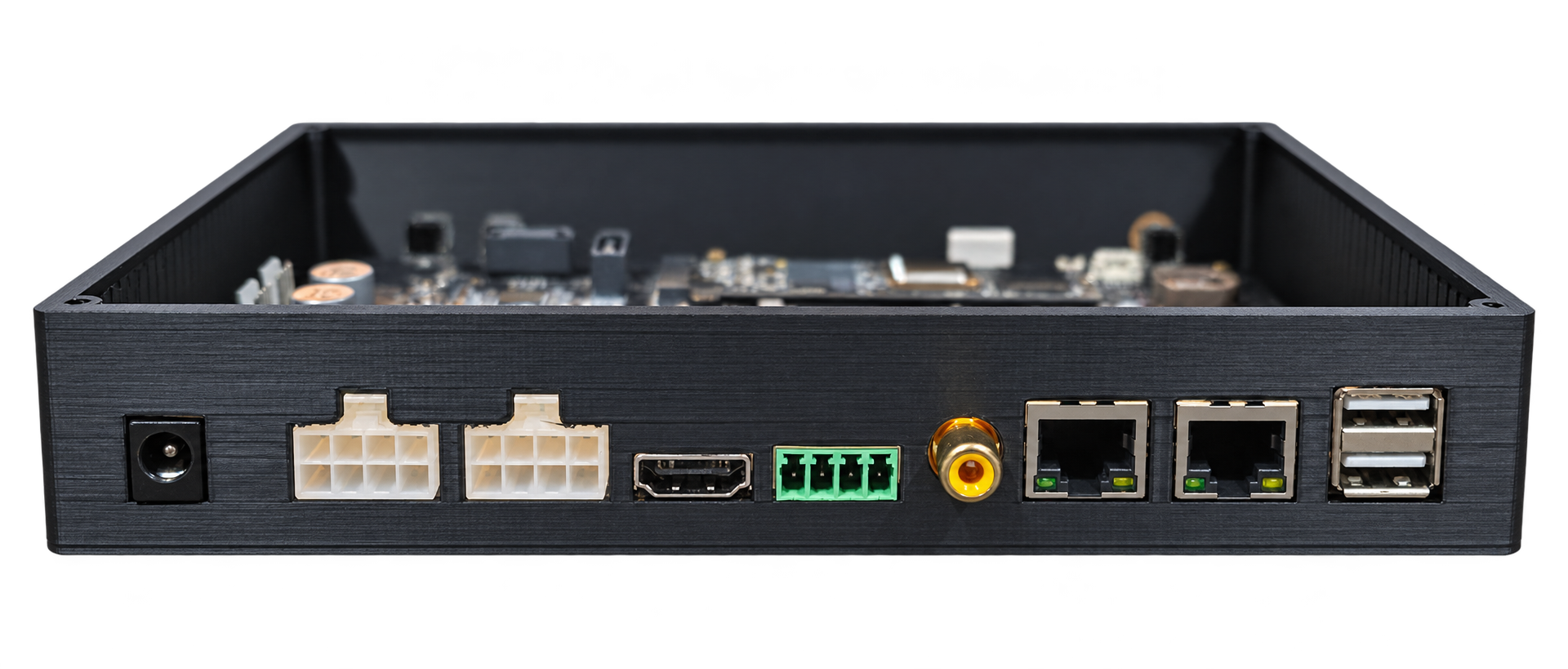
The rear connection panel of WServer, showing how the external-device connectors are arranged on the unit.
Edited from the supplied product photograph.
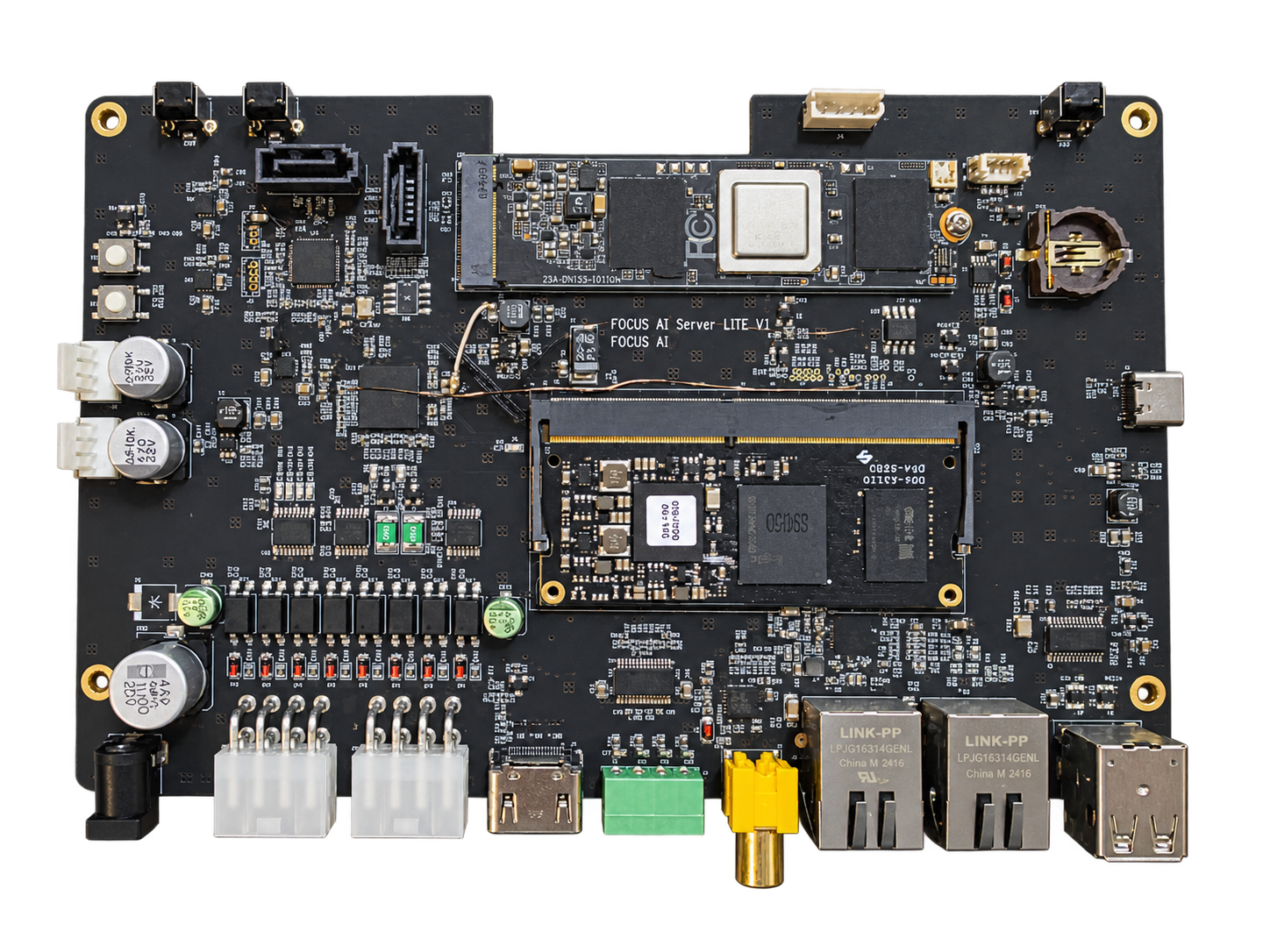
The internal WServer system board, showing the arrangement of its modules, components and external connections.
Edited from the supplied board photograph.
WSERVER NVR / AI SERVER
WServer is a video management system for viewing cameras, connecting the analysis you need and searching recorded scenes.
Analysis close to the site can be combined with review at a central location. The following is a deployment example to assess for the intended environment.
Analysis and equipment integration depend on the requirements and hardware configuration. These deployment examples are not all included as standard features.
Connect cards, set conditions, define zones and review video overlays. Follow the configuration process through simple diagrams.
Connect the analysis needed for each camera. A tracking result can be used by several analysis branches.
Diagrams explain the configuration and behaviour. They are not live video or actual detections.
Person detection → appearance → object tracking can connect to intrusion, loitering, people counting and PPE.
Connect or disconnect analysis and set detailed conditions for the purpose of each camera.
Cards show connection, execution and subscription status. Connection changes are saved automatically.
Available analysis features depend on the device, models and subscription configuration.
WServer NVR brings live camera views, AI analysis, recording and search into a video management system. Manage cameras through device and web interfaces, and choose analysis and displays for each camera.
Connect analysis cards in AI settings, then adjust the targets and conditions. Define detection zones on the video and use object indicators, paths, zones and IN/OUT counts according to the selected functions. Person detection and tracking can connect to intrusion, loitering, people counting and PPE analysis. Object detection is also provided as a separate included function.
Record continuously, on a weekly schedule or in response to events. Search recordings by event, motion or AI object. Separate administrator and user accounts, disk status and system events support operation.
A deployment can divide analysis close to the site from review at a central location. In this example, the site handles video analysis and required alerts or equipment connections, while the centre handles incoming video, further analysis, relay and storage.
Analysis and equipment integration depend on requirements, hardware, models and subscription configuration. These examples are not all included as standard features; confirm the required functions and specifications before deployment. The illustrations on this page explain configuration and behaviour, rather than showing live video or actual detections.